Integration Guide
Rexultz is platform-agnostic — a feed you build once works on any website. This guide shows the fastest way to embed a feed on each major platform, plus the Chrome extension for point-and-click placement.
The universal embed
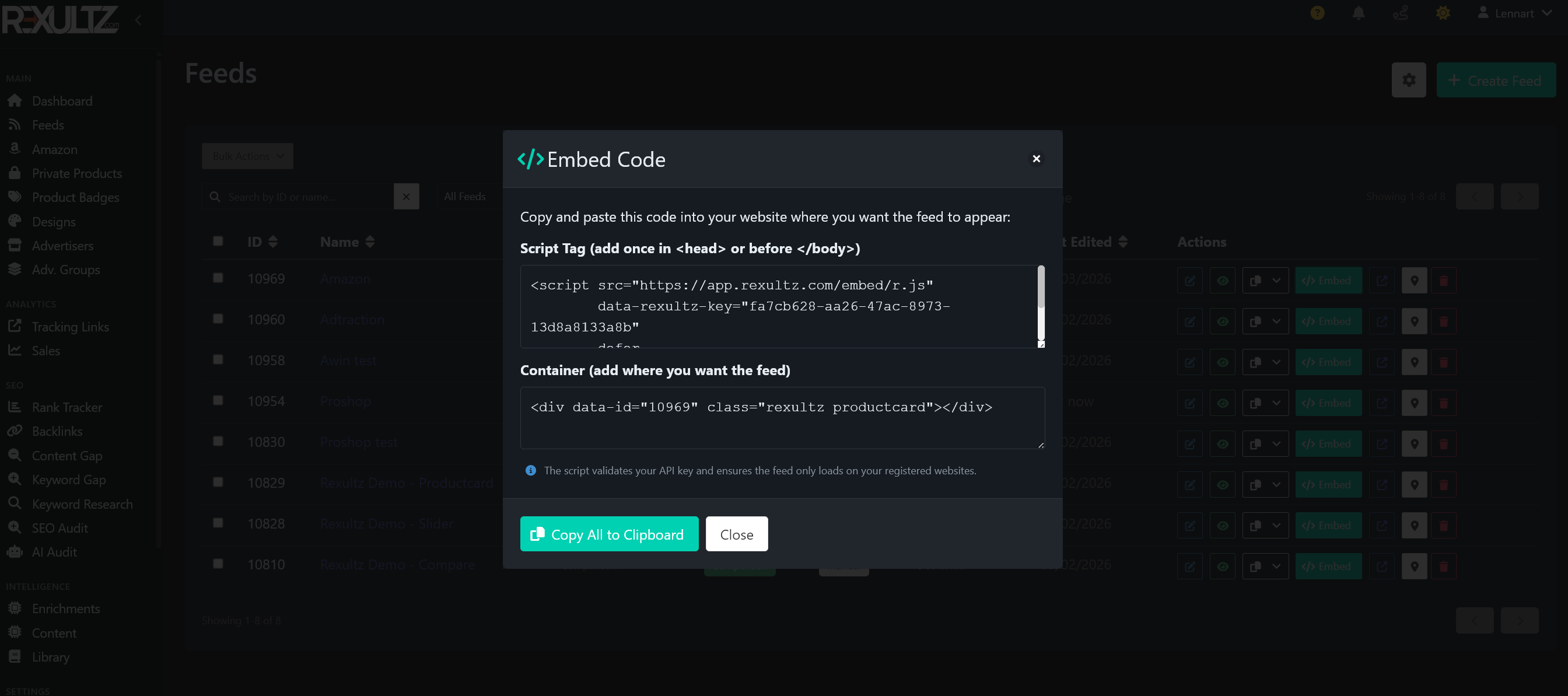
Every feed has a single embed snippet that works on any site that lets you paste HTML. You'll find it under your feed's Embed / Publish tab.
<div data-rexultz-feed="YOUR-FEED-ID"></div>
<script src="https://app.rexultz.com/embed/r.js" defer crossorigin></script>
Paste the snippet where you want the feed to appear. The script is loaded once per page and feeds render from Cloudflare's edge cache, so there's no performance penalty. If products don't appear after you change a feed, see Troubleshooting → cache issues.
WordPress
Two options, depending on how much control you want:
Gutenberg block (recommended)
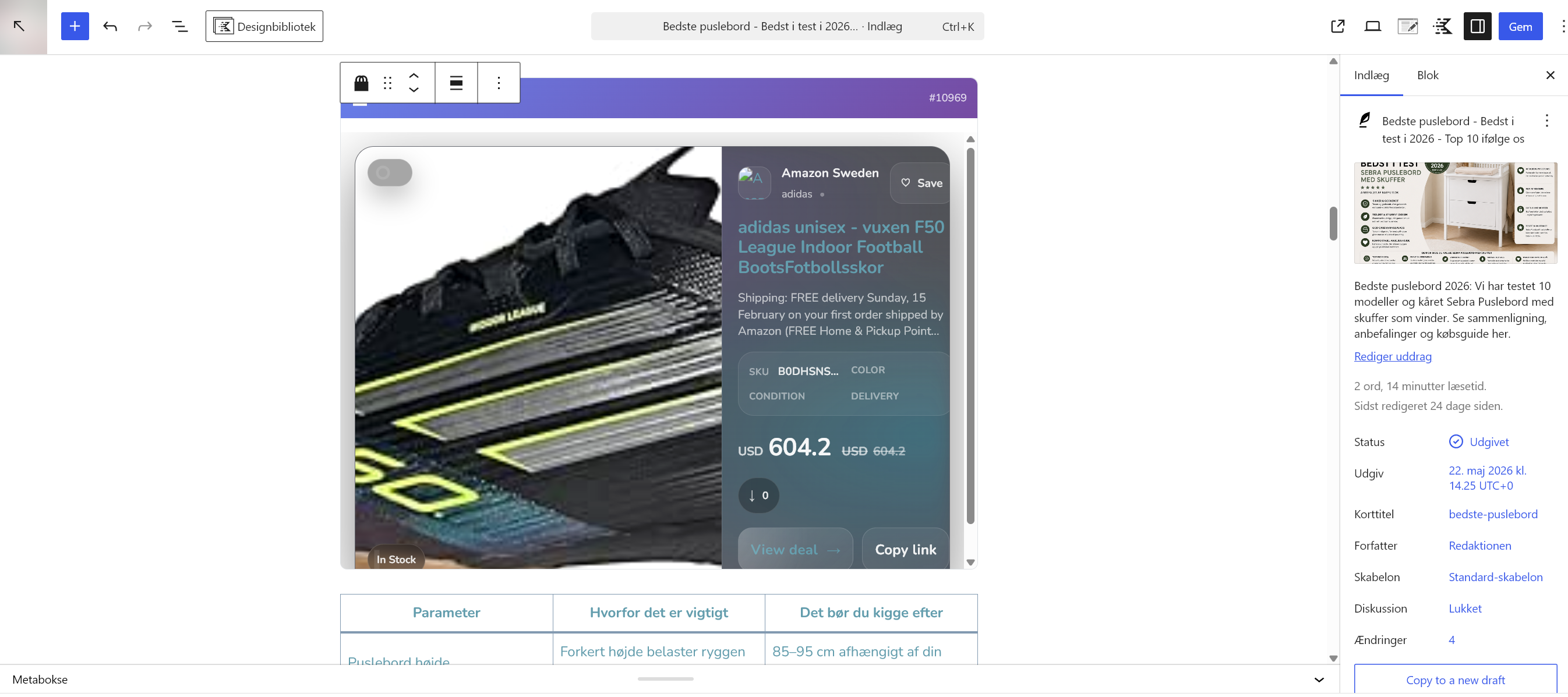
Install the Rexultz WordPress plugin, then add the Rexultz Feed block in the editor and pick your feed from a dropdown — no code, live preview in the editor. See the dedicated WordPress plugin page.
HTML block
Prefer not to install a plugin? Drop the universal embed snippet into a Custom HTML block anywhere in your post or page.
- Install and activate the Rexultz plugin from your WordPress admin.
- Connect it to your account with your API key (Account → API Key in Rexultz).
- Add the Rexultz Feed block, select a feed, and publish.
Shopify
- In Shopify, open Online Store → Themes → Edit code (or add a Custom Liquid / Custom HTML section).
- Paste the universal embed snippet where you want products to show — a product page, a collection, or a landing page.
- Save. The feed renders on the storefront exactly as in your Rexultz preview.
WooCommerce & other e-commerce
Rexultz isn't plugin-dependent, so it works on WooCommerce and any other store the same way — paste the embed snippet into a post, page, or a theme template. Use it to add complementary affiliate products alongside your own catalogue.
Custom / static sites
On a hand-built site, framework, or static-site generator, add the snippet directly to your HTML template. The feed markup includes built-in product schema, so search engines can read your listings without extra work.
Social & link-in-bio pages
Any page that accepts an embed can host a feed — including link-in-bio and social landing pages. Build a curated feed and drop it in to monetise traffic from social platforms.
Chrome extension — place products without touching code
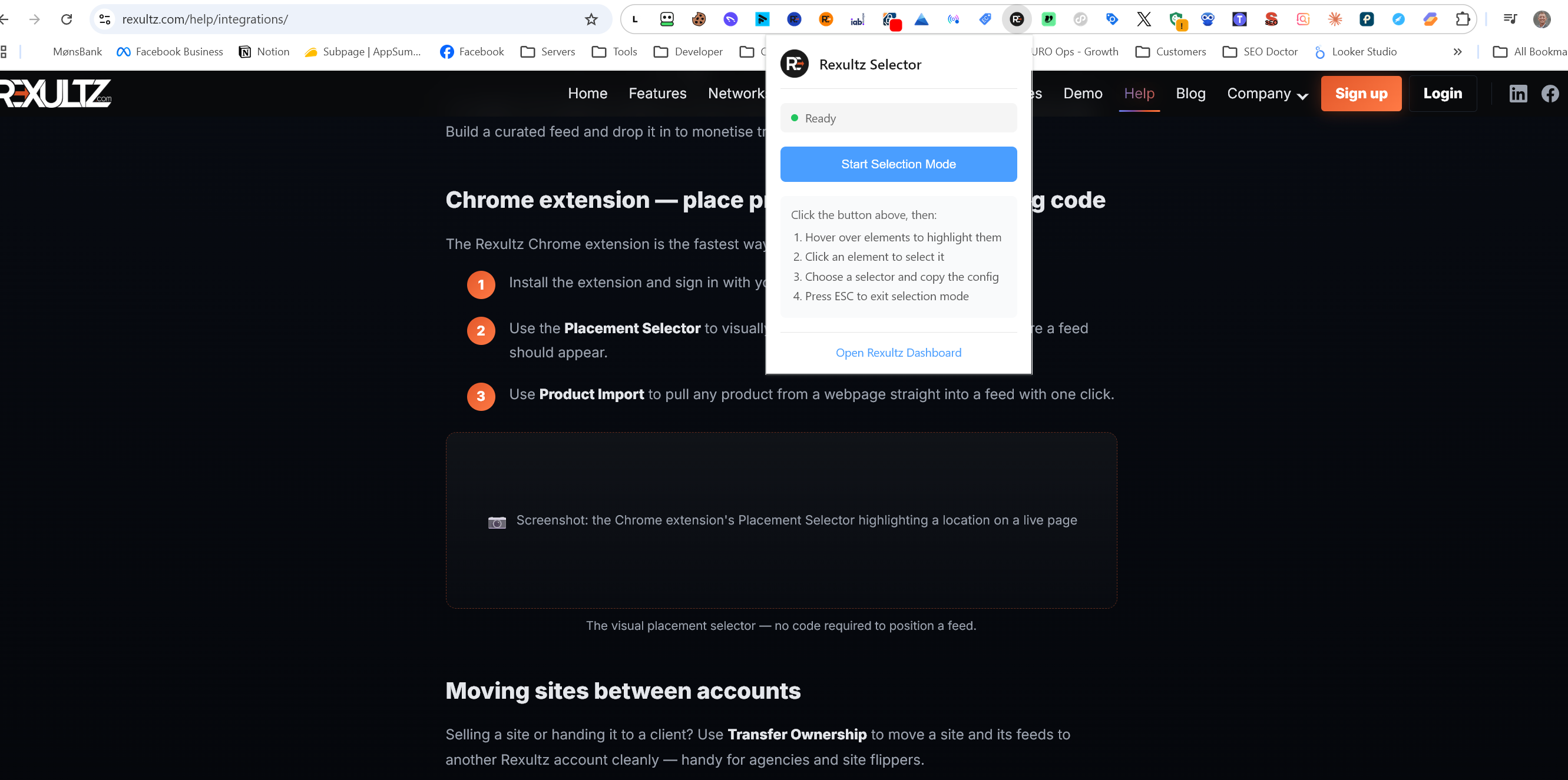
The Rexultz Chrome extension is the fastest way to add products to an existing page:
- Install the extension and sign in with your Rexultz account.
- Use the Placement Selector to visually click the exact spot on your page where a feed should appear.
- Use Product Import to pull any product from a webpage straight into a feed with one click.
Moving sites between accounts
Selling a site or handing it to a client? Use Transfer Ownership to move a site and its feeds to another Rexultz account cleanly — handy for agencies and site flippers.
Next steps
- New here? Start with Getting Started.
- Feed not showing the latest products? Troubleshooting → cache issues.
- Automate with AI — query and build feeds from your assistant via the AI Connector.